Connect your Instagram Business account to Mojeeb and let your AI agent handle direct messages and comment replies automatically. Instagram conversations are managed from the same Chats dashboard as all your other channels, with AI-powered responses driven by your Knowledge Base.
How do I connect Instagram?
Instagram connects through your Facebook Business Page (because Instagram's messaging API is managed through Meta's platform):
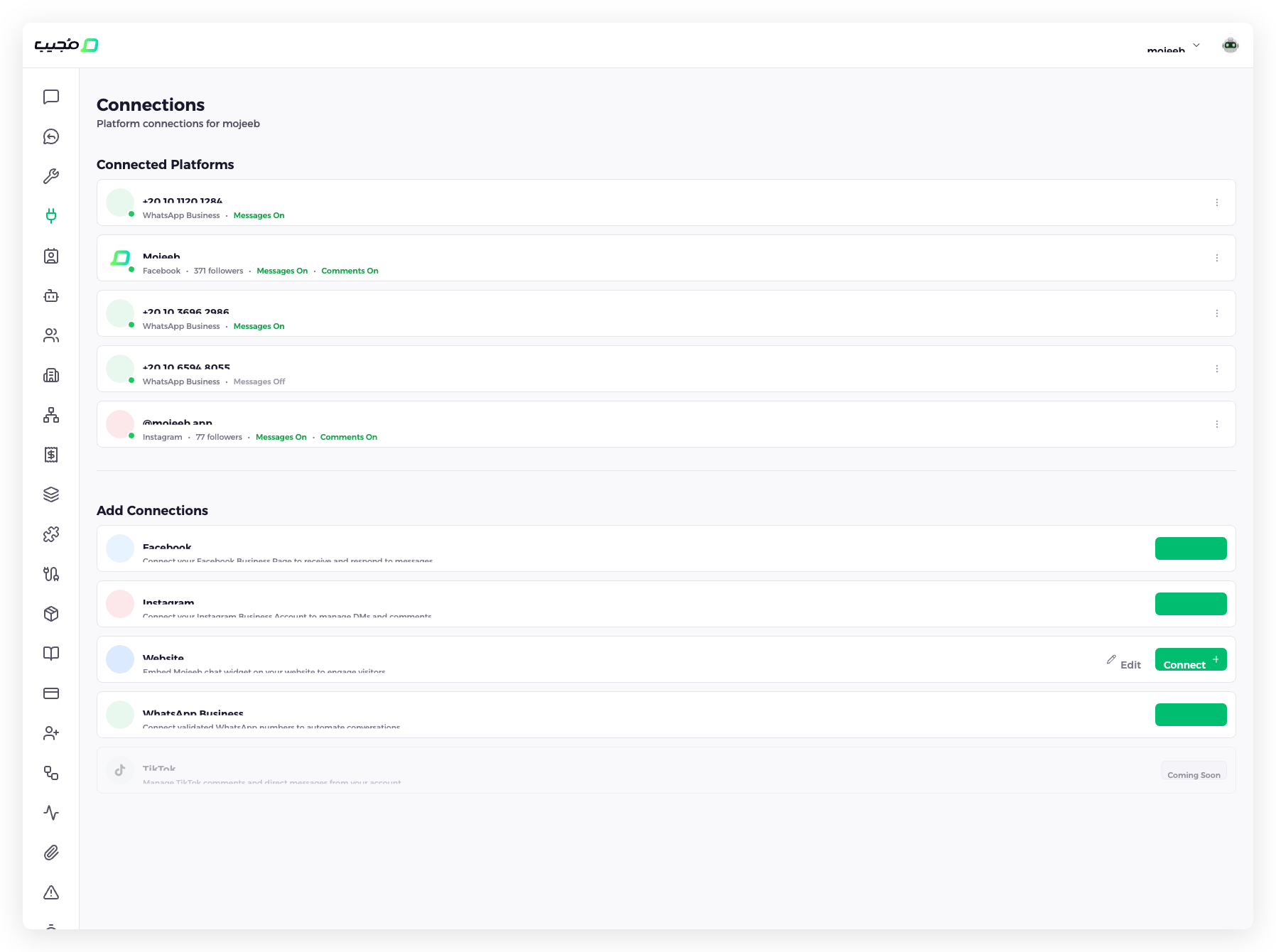
- Go to Connect in the sidebar
- Find Instagram in the "Add Connections" section
- Click Connect +
- Log in with your Facebook account
- Authorize Mojeeb — your Instagram account is automatically detected if it is linked to the Facebook Page
Once connected, the Instagram account appears under Connected Platforms with its handle (e.g., @mojeeb.app), follower count, Messages On and Comments On. The switches for both are in the card's three-dot menu (⋮).
What features are supported?
| Feature | Description |
|---|---|
| Direct Messages | AI-powered responses to Instagram DMs using your Knowledge Base |
| Comment auto-replies | Automatically reply to comments on your posts (see Social Comments) |
| Media support | Handle image and text messages in DMs |
| Lead capture | Collect customer information from Instagram conversations as leads |
| Human takeover | Switch any DM conversation to manual mode from the Chats page |
| Follow-ups | Automated follow-up messages to re-engage customers |
How do I manage connection settings?
Each Instagram account is a card under Connected Platforms on the Connect page, titled with the account, showing Instagram, the follower count, Messages On or Messages Off, Comments On or Comments Off, and a status that reads Checking… then Connected. The card's three-dot menu (⋮) holds:
- Messages — Switch off to stop the agent replying to DMs; messages still arrive on the Chats page for your team
- Comments — Switch off to stop the agent replying to comments on your posts; see Social Comments
- Check status — Asks Meta whether the connection still works; a broken one shows a red Reconnect badge in its status line, and Couldn't verify when Meta could not be reached
- Disconnect — Stops Mojeeb handling the account
- Reconnect — In the menu of a disconnected card, or as the red badge on a card whose check failed; it runs the Facebook login again
Requirements
- An Instagram Business or Creator account (personal accounts cannot be connected)
- The Instagram account must be linked to a Facebook Business Page
- Admin access to the Facebook Page
- Meta OAuth authorization granted to Mojeeb
Common questions
Why do I connect Instagram through Facebook?
Instagram's messaging API is managed through the Meta (Facebook) platform. Connecting via Facebook gives Mojeeb access to Instagram DMs and comments through a single OAuth authorization.
Can I auto-reply to story mentions?
Currently, Mojeeb handles direct messages and post comments. Story mention support is not yet available.
Can I connect multiple Instagram accounts?
Yes, as long as each Instagram account is linked to a Facebook Business Page you have admin access to. Each account appears as a separate connection.
What happens if I disconnect my Facebook Page?
If you disconnect the Facebook Page, the linked Instagram connection is also affected since Instagram messaging is managed through Facebook's API. You would need to reconnect both.