Website Widget
The Mojeeb website widget is a chat bubble that sits on your website, allowing visitors to interact with your AI agent in real-time. No signup is required for visitors — they simply click the chat button and start a conversation. Its color and opening message match your brand, and it works on both desktop and mobile.
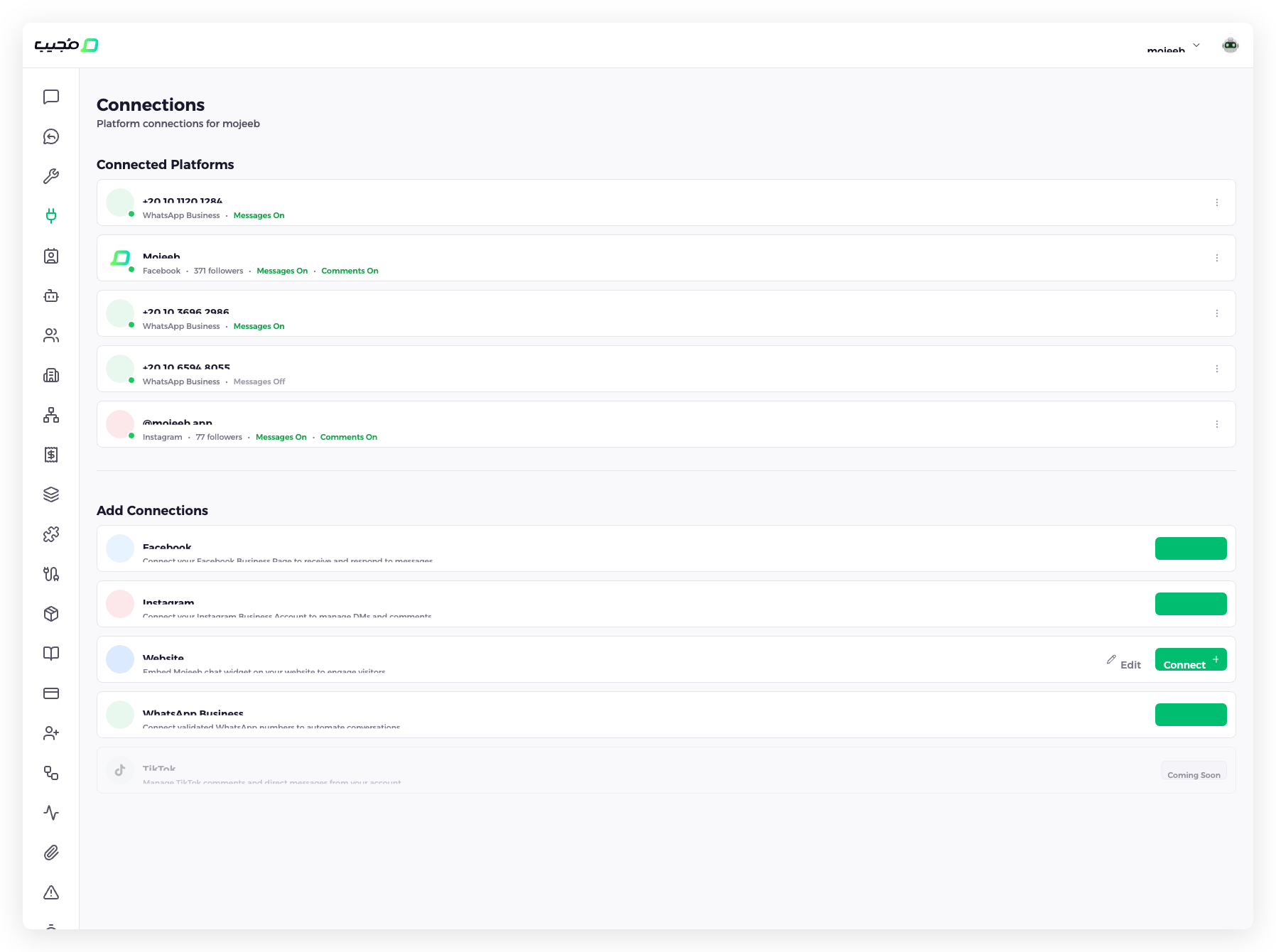
How do I set up the widget?
- Go to Connect in the sidebar
- Find Website in the "Add Connections" section
- Click Connect +
- Choose Ready Made Widget or Customized Integration
- Click Copy to copy the code
- Paste it into your website's HTML before the
</body>tag
To change how the widget looks, click Edit on the Website row.
For step-by-step embedding instructions, see Embed on Your Website.
What can I customize?
Click Edit on the Website row to open Customize Widget:
| Setting | What it does |
|---|---|
| Primary Color | The color of the chat button and the chat's accents |
| Initial Message | An opening message shown for a few seconds in a bubble beside the chat button; a visitor who taps the bubble sees it as the chat's first line |
The chat button sits in a bottom corner of the page. Your site shows a change the next time a page loads, with the same code.
What widget modes are available?
When you click Connect +, Mojeeb offers two integration types:
- Ready Made Widget — Mojeeb's floating chat button. Visitors click it to open the chat. This is the right setup for most websites, and the only one that shows the initial message.
- Customized Integration — No chat button: your page opens the chat from its own buttons or links. Your developer connects them with a few lines of JavaScript; see Website Widget in the developer docs.
How does the widget handle conversations?
- Visitors can start a conversation without creating an account
- The AI agent responds instantly using your Knowledge Base
- Conversations appear in your Chats dashboard in real time
- Leads are automatically captured from widget conversations
- Visitors can send text, images, videos, voice notes and documents
Can I send the installation steps to my web developer?
Yes. After you choose an integration type, click Share Link to copy a link to a page with your widget's code and the installation steps. The link expires, and it can stop working sooner; if it does, create a new one from the Connections page.
Does the widget work on mobile devices?
Yes, in mobile browsers. The widget is fully responsive and optimized for phone and tablet browsers: it adapts to smaller screens and supports touch interactions, so visitors who open your website on a phone get the same chat as on a computer.
Can I add the chat to my mobile app?
Yes. Your app's developer can show the same chat inside your own iOS or Android app, with your widget's id and no API key. App chats are answered by the same agent and arrive in Chats like website chats. The developer docs explain how, with code to copy: see Add the Chat to Your Mobile App.
Common questions
Do visitors need to create an account?
No. The widget allows anonymous conversations. Visitors simply click and start chatting. Their information is captured as a lead automatically during the conversation.
Can I install the widget on multiple websites?
Yes. Each agent has one widget: paste the same code on each site, and all their conversations go to that agent. For a different look or different answers on another site, use another agent.
Does the widget affect my website's performance?
The widget loads asynchronously and does not block your page from rendering. It has minimal impact on page load time.
Can I control when the widget appears?
The chat opens when a visitor clicks the chat button; it never opens by itself. With Customized Integration, your own buttons or links open it, so you choose where visitors find it.
Can developers get the widget code through the API?
Yes. The Public API returns the agent's widget code, so a site builder or deploy script can install it; see Website Widget in the developer docs.