Social Comments
Mojeeb automatically replies to comments on your Facebook and Instagram posts using AI, keeping your social media engagement active 24/7. The Comments page gives you a unified view of all comments across your connected social accounts, with the ability to monitor AI replies, send manual responses, retry failures, and delete inappropriate replies. With comment auto-hide on, the AI also hides abusive, spam and similar comments; see How does comment auto-hide work?.
How does AI comment auto-reply work?
When someone comments on one of your connected Facebook or Instagram posts, Mojeeb processes it automatically:
- Comment detected — Mojeeb receives the comment via a Meta webhook in real time
- Comment saved — The comment is recorded with a "pending" status
- AI processes — Your agent reads the comment text along with the post caption, your instructions and your whole Knowledge Base
- Reply generated — A contextual, helpful reply is crafted in your agent's language and tone
- Reply posted — The response is posted directly as a reply to the original comment on Facebook or Instagram
The entire process happens in seconds. Each step is tracked with a status so you can monitor progress.
What platforms are supported?
- Facebook — Comments on your Facebook Business Page posts
- Instagram — Comments on your Instagram Business Account posts
Both platforms require a connected social account via Meta's OAuth login flow.
How do I view comments?
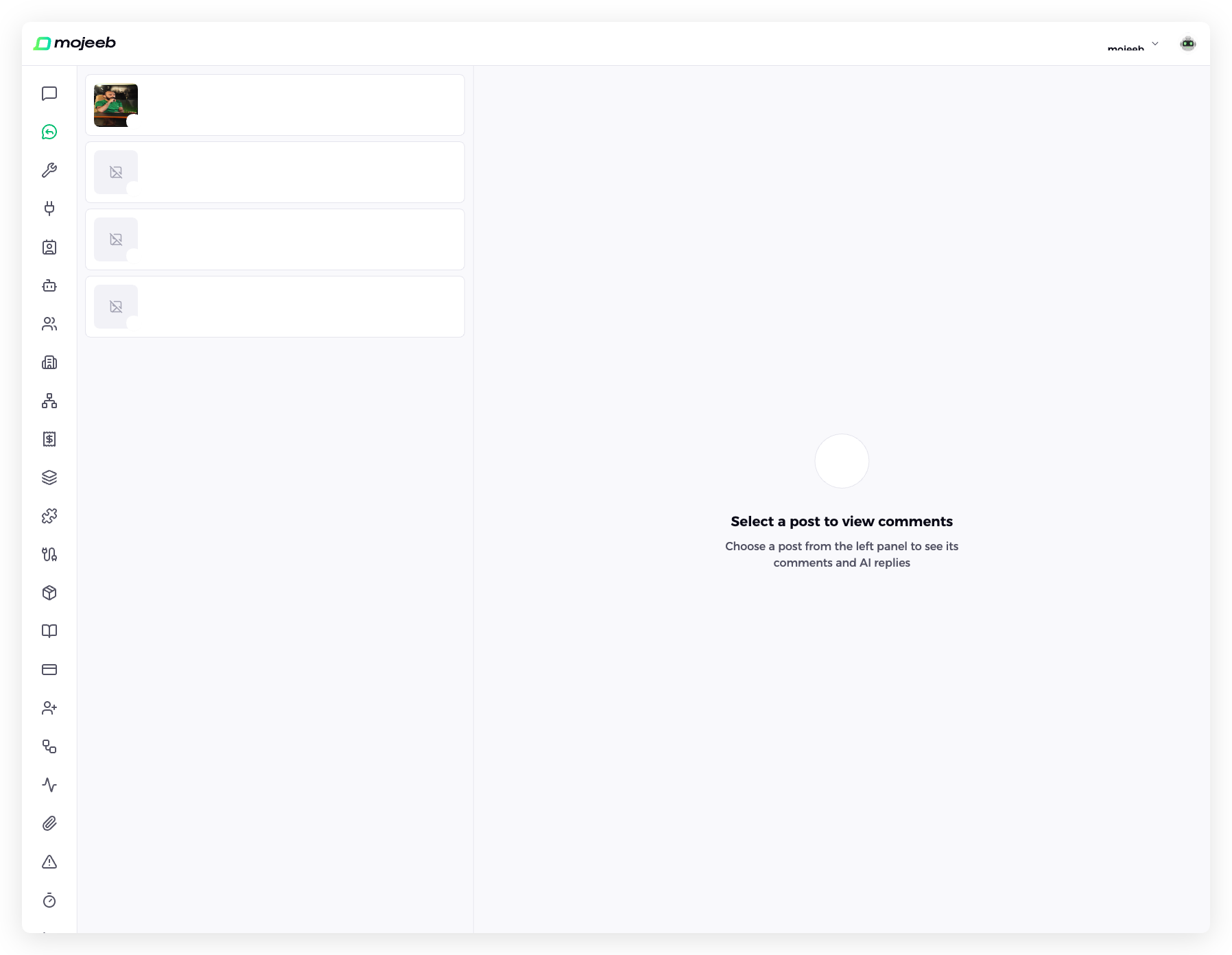
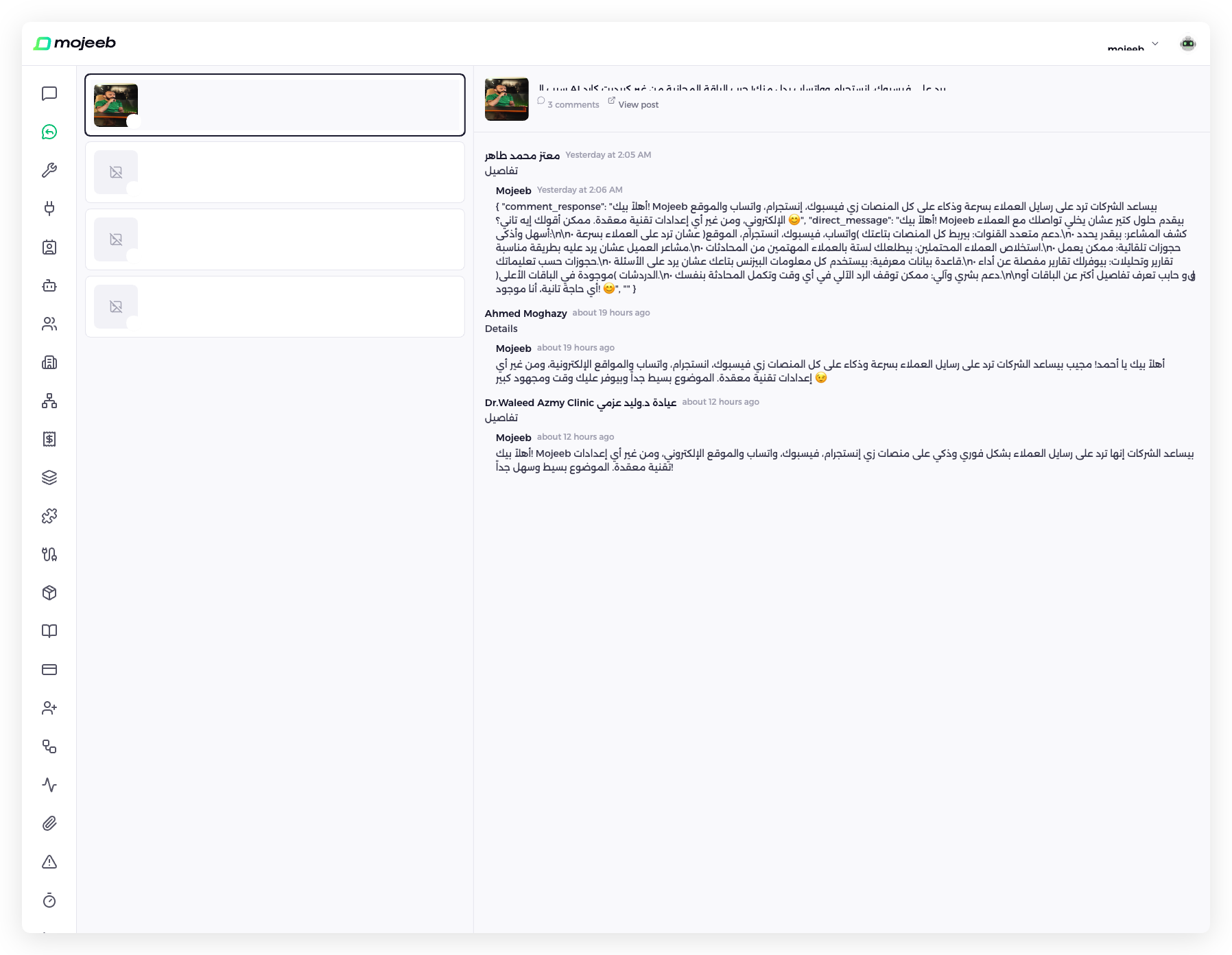
Go to Comments in the sidebar. The page uses a split-panel layout:
- Left panel — List of your social media posts with captions, timestamps, platform icons, and comment counts
- Right panel — Comment thread for the selected post, showing each comment with its commenter name, timestamp, and Mojeeb's AI reply
Click any post in the left panel to view its comment thread. Each comment shows the commenter's name and profile picture, their comment text, and the AI's reply (if one was posted).
The list uses cursor-based pagination with 50 items per page. New comments and status updates appear in real time via Supabase subscriptions — no need to refresh.
What actions can I take on comments?
Retry a failed reply
If an AI reply failed to generate or post, you can retry it. Click the retry button on any comment with a "failed" status. The comment is re-queued for AI processing and the status resets to "pending".
Send a manual reply
You can write and send a custom reply to any comment. Click the reply button, type your message, and send. Your reply is posted directly to Facebook or Instagram. If the comment already has an AI reply, the old reply is deleted first and replaced with your manual reply.
Delete an AI reply
If an AI reply is not appropriate, you can delete it. Click the delete button on any replied comment. The reply is removed from both the platform (Facebook/Instagram) and the Mojeeb database. The comment status resets to "pending". A confirmation dialog appears before deletion.
Hide or unhide a comment
Choose Hide comment on a comment to hide it on Facebook or Instagram, or Unhide comment to show a hidden one again. A hidden comment leaves public view but isn't deleted, and it gets no reply: to reply to one, unhide it first. A comment you unhide is never auto-hidden again.
View original post
Click the View post link in the comment thread header to open the original Facebook or Instagram post in a new tab.
What do the comment statuses mean?
Each comment has a status that tracks its processing state:
| Status | Description |
|---|---|
| Pending | Comment received, waiting for AI to process |
| Processing | AI is generating a reply |
| Replied | Reply successfully posted to the platform |
| Failed | AI generation or posting failed (check error message) |
| Skipped | No reply was posted: the AI chose not to reply, the comment is hidden, replies are off for the account, or your plan's message limit was reached |
Hiding has a label of its own next to the comment: Hidden by AI, Hidden by teammate, Hidden on Facebook or Hidden on Instagram (hidden on the platform itself), Hide failed, or Unhidden.
How do I enable or disable auto-replies?
Auto-reply is controlled per social connection. Go to Connect in the sidebar, find your Facebook or Instagram connection, and open its three-dot menu (⋮). The Comments switch there controls comment replies, and the card shows Comments On or Comments Off:
- On (default) — Mojeeb automatically replies to new comments using AI
- Off — Mojeeb doesn't reply to new comments on this account. With comment auto-hide on, it still checks them and hides negative ones, and the account's posts stay on the Comments page. With auto-hide off too, Mojeeb ignores new comments on this account: they aren't recorded, and the account's posts are hidden from the Comments page. Turning it back on shows the posts again, but comments made while both were off aren't picked up.
This switch is separate from the Messages switch in the same menu, which controls direct message auto-replies.
How does comment auto-hide work?
Comment auto-hide lets the AI hide abusive, spam and similar comments on your Facebook and Instagram posts. It's on for every agent by default. To turn it off or on, open Agent Knowledge, choose Agent settings from the three-dot menu (⋮), open Comment auto-hide and use Auto-hide negative comments.
While it's on:
- The AI checks every new comment on the agent's Facebook and Instagram accounts, even where the Comments switch is off. There it only decides whether to hide, and never replies.
- A hidden comment is hidden, never deleted. On Facebook, the commenter and their friends can still see their own comment.
- A hidden comment gets no reply and no direct message from the AI.
- When the AI is unsure, it keeps the comment visible.
- Hiding doesn't count toward your plan's message limit. Once the limit is reached the AI stops replying but keeps hiding; without an active subscription it does neither.
What does the AI hide?
By default, comments that clearly contain:
- Profanity, insults or personal attacks against your business, your staff or other commenters
- Hate speech, threats, harassment or sexual content
- Spam, scams, phishing, suspicious links or unrelated self-promotion
- Promotion of a competitor, or telling people to buy elsewhere
It doesn't hide complaints or negative reviews written without abuse (it replies to those instead), questions, even critical ones, or informal language, slang, dialect or emojis on their own. To read the exact rules the AI is given, click Learn more under the switch.
How do I tailor what gets hidden?
Your own rules come before Mojeeb's. Add a short "Comment hiding" section to your Main Instructions saying what to hide and what never to hide, and keep the facts your rules rely on, such as a list of competitor names, in your Knowledge Base. For example:
Comment hiding:
- Hide comments that promote a competitor or tell people to buy elsewhere.
- Hide comments that share phone numbers or WhatsApp links.
- Never hide comments that ask about prices, even rude ones. Reply to them instead.
Clear, specific rules work best. Changes apply to new comments once saved.
What about comments hidden on Facebook or Instagram?
A comment hidden on the platform itself, by Facebook's own filter or by someone in Meta Business Suite, shows Hidden on Facebook or Hidden on Instagram. Facebook tells Mojeeb right away when a comment is hidden or shown there. Instagram doesn't, so Mojeeb checks a post's Instagram comments when you open the post on the Comments page.
How does the AI generate comment replies?
The AI uses the same Knowledge Base as your conversation agent. When processing a comment, the AI receives:
- The comment text
- The post caption (for context)
- Your agent's knowledge base and instructions
The AI generates a contextual reply that matches your agent's tone and language. If the AI encounters an error or cannot generate a reply, the comment is marked as "failed" and you can retry manually. The system automatically retries up to 2 times on transient failures.
Common questions
Will the AI reply to every comment?
When auto-reply is enabled, the AI processes all incoming comments on posts from connected accounts, except hidden ones. You can switch comment replies off per connection: with comment auto-hide on, Mojeeb then still checks that account's comments and hides negative ones without replying; with auto-hide off too, it ignores them entirely, so they won't appear on the Comments page.
Can I see the AI's replies before they're posted?
No. Auto-replies are posted automatically in real time. However, you can review all replies in the Comments section and delete any that are not appropriate. The AI will generate a new reply when you retry.
Can I edit an AI reply?
Not directly. To change a reply, delete the AI reply and send a manual reply with your preferred text. The old reply is removed from the platform before the new one is posted.
What happens if I disconnect a social account?
The account's posts and comments are hidden from the Comments page and no new comments are received. Reconnect the account to the same agent to see them again and resume auto-replies.
Do replies appear on both Facebook and Instagram?
Replies appear only on the platform where the comment was posted. A comment on a Facebook post gets a Facebook reply, and a comment on an Instagram post gets an Instagram reply.
Are comment replies counted as messages?
Yes. Each AI comment reply counts toward your plan's message limit, and once the limit is reached new comments are marked Skipped. Hiding a comment isn't counted.
Can the AI delete comments?
No. The AI only hides comments, and you can unhide any of them from the Comments page. Deleting a comment stays on Facebook or Instagram.